Dashboards on your own business data.
AI builds them for you.
With DigiData you connect Xero, QuickBooks Online, HubSpot, Exact Online and more. Describe which KPIs you want to see and the AI agent builds the dashboard. With drilldowns, filters and a presentation mode, without a Power BI specialist and without per-viewer licences.
Prefer to ask questions in plain language? Meet the AI agent. Already using Power BI or Excel? Use the same data through the Power BI connector. ChatGPT or Claude? See the read-only DigiData MCP connector.
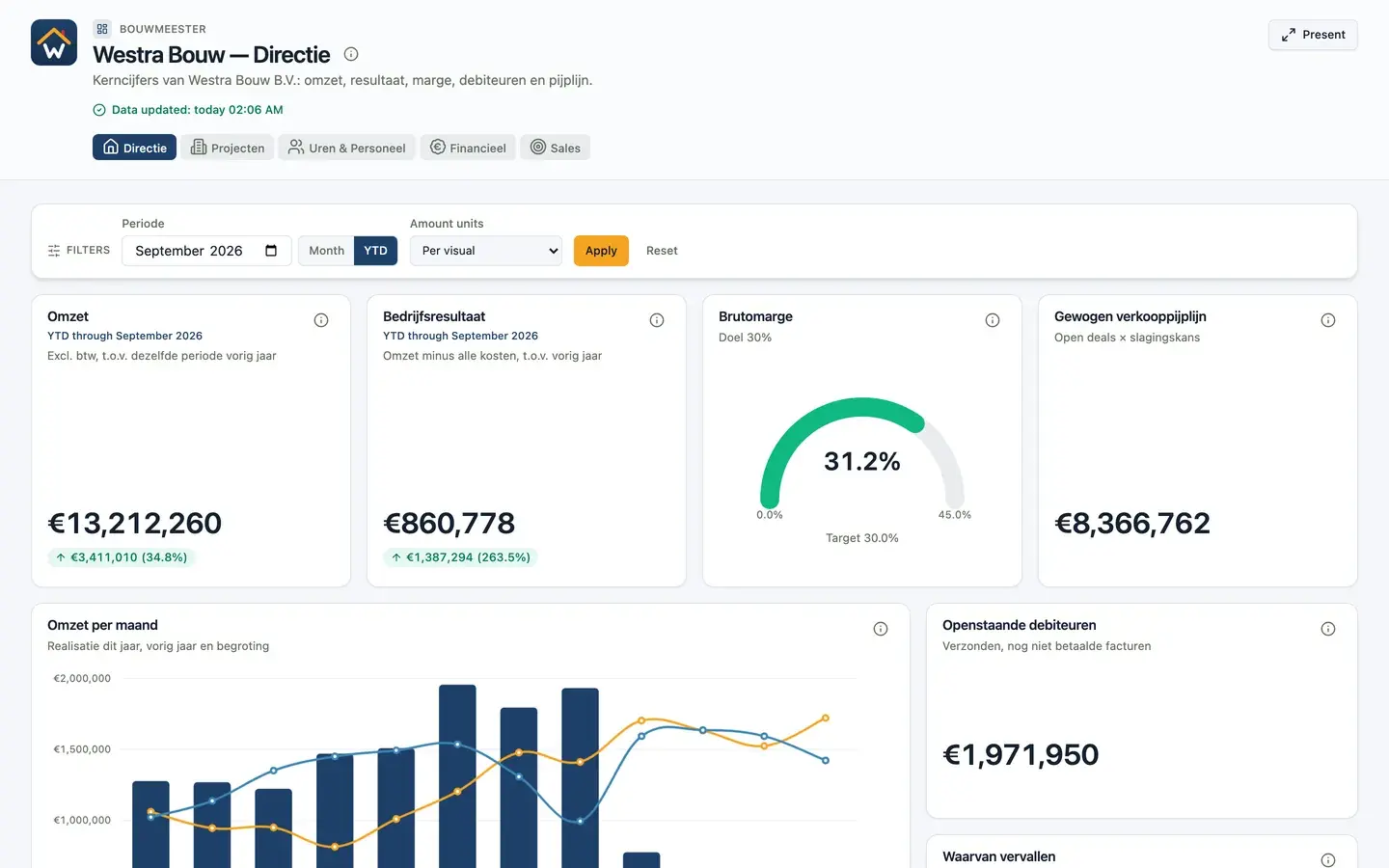
Dashboards and AI for SMEs, from construction to semi-government


How DigiData works
From separate systems to a dashboard in three steps. We handle the connections, you decide what you want to see.
1. Connect your data sources
Connect Exact Online, Twinfield and more. Is a budget or plan still in a spreadsheet? Upload it as CSV.
2. Agree what the numbers mean
DigiData puts the data in one place with recognizable names. You decide once what revenue, margin or an active customer is, so every dashboard calculates the same way.
3. Describe your dashboard
Ask the AI agent for a dashboard and adjust it in the visual editor. The same data remains available in Power BI, Excel and as CSV.
A dashboard you build yourself, without a BI specialist
In Power BI a dashboard starts with a connector, a data model and formulas. In DigiData it starts with a sentence: say what you want to see and the AI agent builds it on your connected data. Then you adjust it yourself, share it with your team or put it on the screen in the meeting.
AI builds the dashboard
Describe what you want to see. The AI agent lays out widgets, filters and structure on your own data.
Drilldowns and filters
Click from a total to the invoice or hour behind it. Filters drive every chart at once.
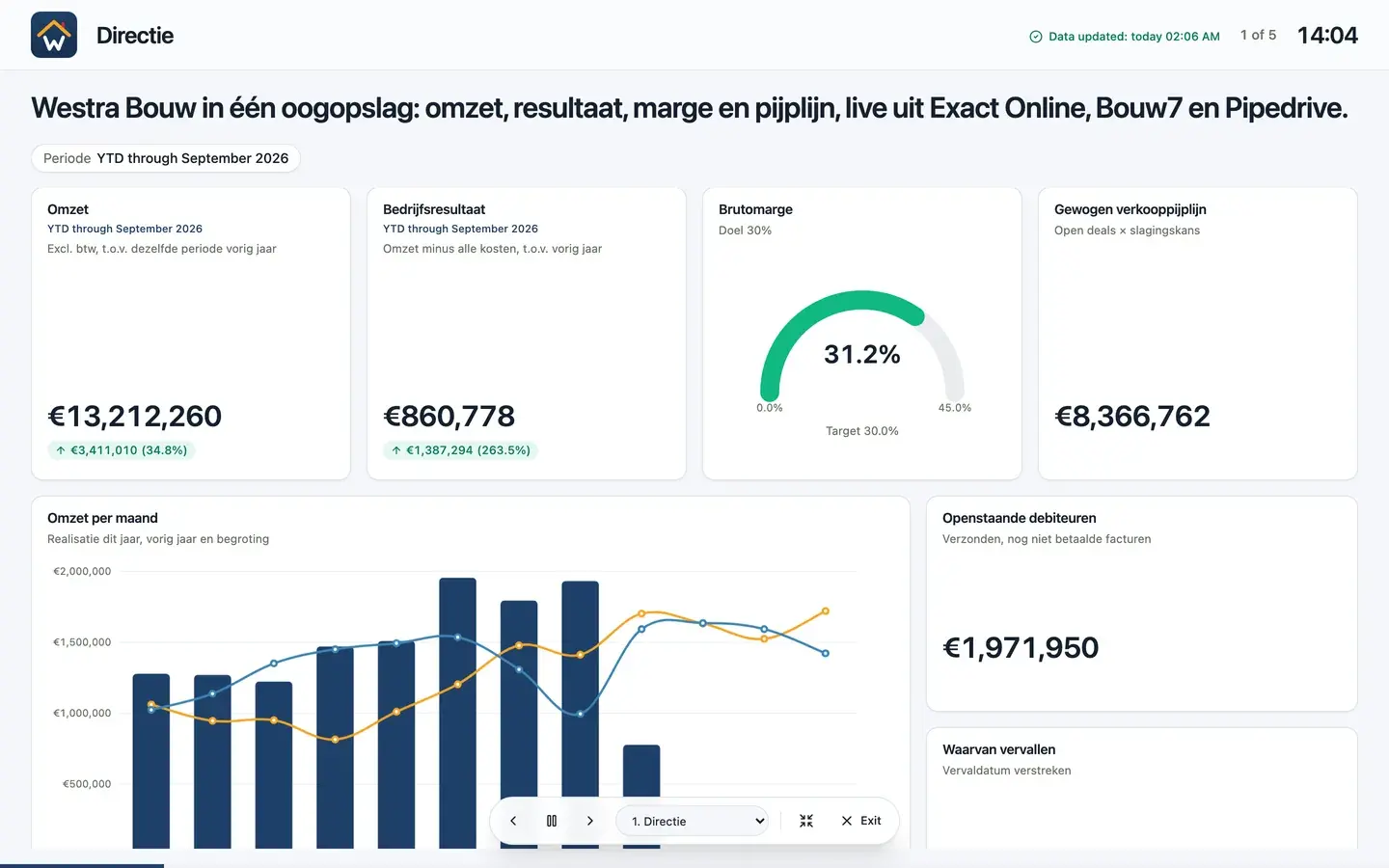
Presentation mode
One click to the TV screen or the management meeting. The dashboard steps through the pages by itself.
Share without per-viewer licences
Share with the whole team or through a read-only link. You do not pay per user.
In your own house style
Choose a theme with your own colours and 17 types of visualisation, from KPI card to waterfall and map.
Numbers that add up
Dashboards and AI calculate with the same agreed definitions of revenue, margin and other key figures.
A colleague who knows your books by heart
Once your software is connected, the AI agent is ready to answer questions. You don't have to build a report or run an export. You type what you want to know and the agent looks it up in your own, current data.
It uses approved calculations, so the answers match your accounting. And you can use it where you already work: in webchat, in Microsoft Teams, Slack or via our MCP server.
- Ask questions in plain language, without formulas or filters
- Reliable figures from your own source systems
- Scheduled reports delivered automatically to Teams, Slack or email
Works with Power BI and Excel too
Already have reports in Power BI or Excel? They can stay. DigiData makes the same synced data available through a standard OData feed, so you choose per report what needs the least maintenance.
- Plug and play with Power BI, Excel and Power Platform
- Connect your own software through a standard API
- The same definitions as in your DigiData dashboards
- Combine data from all your sources in one place
Would you prefer CSV? No problem.
Not everyone works with Power BI. That is why DigiData also makes all your data available as standardized CSV exports. Ideal for imports into other systems or ad-hoc analyses.
Choose the route that fits your team
Start with the way you want to use the data, or open the industry page for source choices, KPI definitions and validation steps.
Power BI alternative
Build interactive dashboards without a licence for every viewer.
Automations
Schedule reports and receive alerts when metrics deviate.
Teams and Slack bot
Ask data questions in the channel your team already uses.
Construction and field service
Combine project hours, materials, work orders and finance data.
Accounting and advisory
Consolidate administrations and share controlled client insights.
Professional services
Track utilization, capacity and project margin.
Retail and franchise
Compare stores, schedules and staffing by region.
What our customers say
Companies rely on DigiData for their daily data.
Why companies use DigiData
DigiData replaces recurring export work with dashboards that update themselves. Finance teams no longer have to wait for separate CSV files from accounting, CRM or construction software. Management can spot changes in revenue, margin, planning or cash flow sooner. And Power BI users get consistent tables with recognizable entities such as transactions, projects, relations, hours, invoices and employees.
You are not tied to one tool. The same synced data is available through OData, an open protocol that Microsoft supports in Power Query and Power BI. DigiData takes care of the technical maintenance of your integrations.
- Dashboards, AI agent and automations on the same data.
- Try it for free for 14 days, without start-up costs.
- The same data is also available for Power BI, Excel and CSV.
- Direct support from DigiData B.V. in Zuidlaren, the Netherlands.
Project and operations teams can go directly to the Exact Bouw and RetailSolutions connector pages to confirm supported data before starting.
Which data sources are readily available?


| Usage | DigiData delivers |
|---|---|
| Dashboards | Interactive dashboards with drilldowns, built with AI. |
| Power BI reporting | OData feeds with daily synchronization. |
| Excel control | The same tables via Power Query or CSV. |
| AI analysis | Controlled exports for ChatGPT, Claude and Gemini. |
Sources, security and company information
DigiData uses existing web standards and publishes clear information about contact, privacy, pricing and security. For technical background, see the official documentation from Microsoft Power Query OData feed, OData.org and Schema.org Organization markup.
14 days free · no start-up costs
Ready to take control of your data?
Join companies that save time every day with DigiData. Get started today.
