Databox alternative
A Databox alternative for Exact Online, Twinfield and your project software
Databox is strong at marketing and sales dashboards. Do you mainly run on Dutch accounting, project and payroll software? DigiData connects those sources directly, the AI agent builds your dashboard and you share it without a per-viewer price.
14-day free trial · no setup fee · cancel monthly
Short answer: DigiData or Databox?
Choose Databox if you mainly track marketing and sales channels such as Google Analytics, HubSpot or ad platforms and want to start for free. Choose DigiData if you want to combine management information from Exact Online, Twinfield, Exact Bouw, Nmbrs or Simplicate, click from a KPI through to invoices or journal entries, and have dashboards built by an AI agent that calculates with fixed definitions.
Why teams switch
What DigiData does differently
AI builds your dashboard
Describe what you want to see. The AI agent picks metrics, visuals and filters and adjusts the dashboard based on your feedback.
Dutch business software connected
Exact Online, Twinfield, Exact Bouw, Nmbrs, Simplicate, Robaws and more than 20 other connectors, synchronized into one data layer.
Click through to the source
From a KPI to the matrix and on to the invoice, hour or journal entry behind it.
Presentation mode
Put any dashboard on an office TV or present it in the meeting. Pages advance automatically and repeat per project or team.
AI assistant next to your figures
Ask follow-up questions in dashboard chat, Teams or Slack. The answers use the same definitions as the charts.
Sharing without a per-viewer price
Share internally with signed-in colleagues or through a public read-only link with your own theme and logo.
Comparison
DigiData versus Databox
Databox prices and features checked on 24 September 2026 on the Databox website.Databox prices are in US dollars; check the current terms before you decide.
| Topic | DigiData | Databox |
|---|---|---|
| Price from | €95 platform + €50–95 per connector per month, excl. VAT | Free plan (3 sources, 1 user, daily sync); paid from $71 per month billed annually |
| What drives the price | Number of connectors; no per-viewer price | Number of data sources, users and AI credits per plan |
| Exact Online, Twinfield, Exact Bouw, Nmbrs | Own connectors, synchronized into one data layer | Not in the standard list of 130+ integrations; via a custom API integration |
| Building a dashboard | The AI agent builds and changes dashboards from a plain request; visual editor for the details | Editor with templates; the Genie AI analyst answers questions about your data |
| Asking questions about figures | Dashboard chat and the AI agent in web chat, Teams and Slack, on the same metrics | Genie in the app; Genie in Slack on the higher plans |
| TV screen and presentation | Presentation mode with presets, timing per page and repeat per filter value | Looped Databoards rotate dashboards on a TV at a set interval |
When is Databox the better choice?
Databox is the better choice if you mainly track marketing data from Google Analytics, HubSpot or ad platforms, want to start free with one dashboard, or buy client dashboards in packs as an agency.
Sources: Databox: pricing · Databox: Looped Databoards · Databox: custom integrations
Live demo
Click through a working dashboard yourself
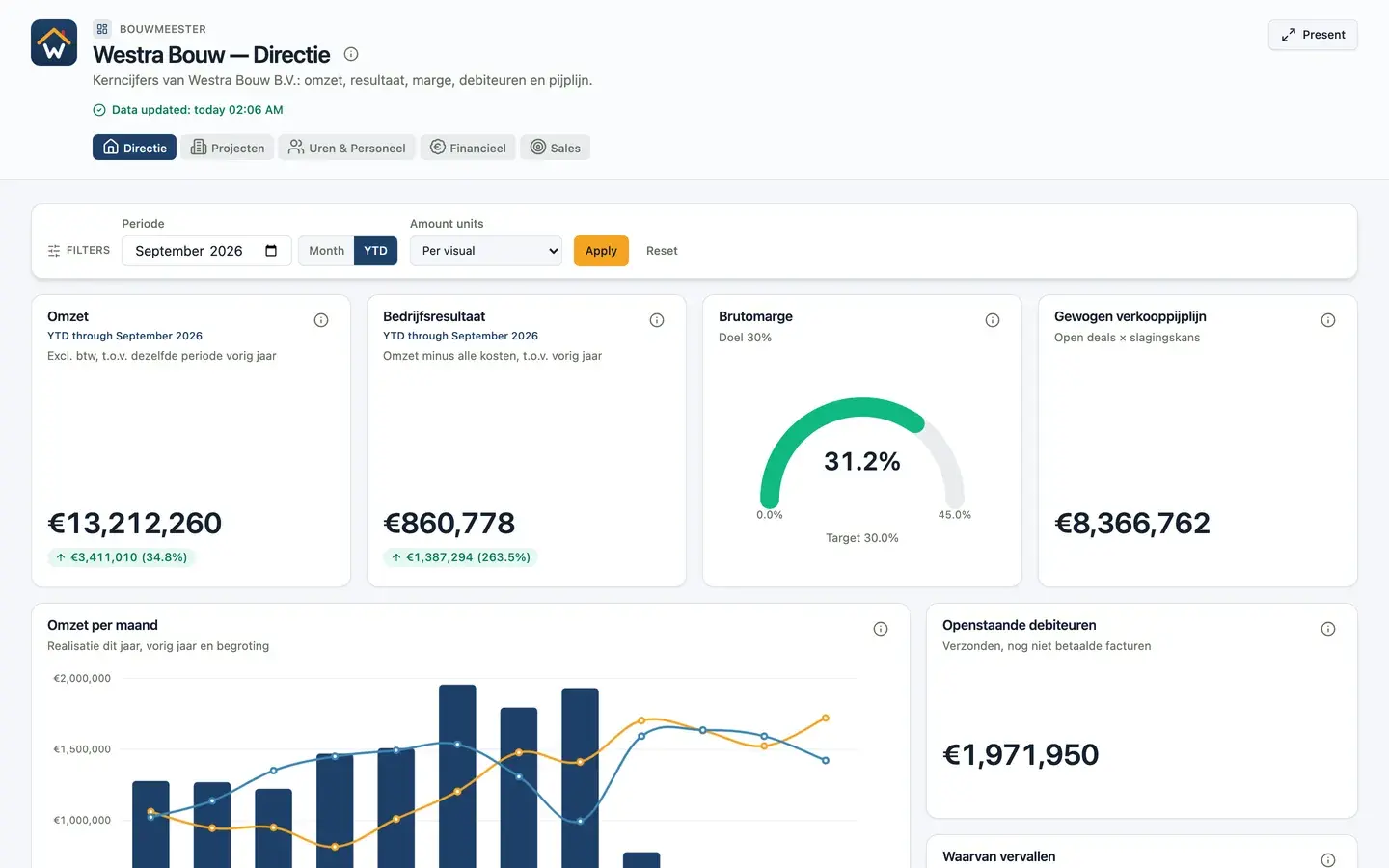
Westra Bouw is a fictional construction company with 50 employees. The demo report uses sample data shaped like Exact Online, Exact Bouw, Nmbrs and Pipedrive and has five pages: leadership, projects, hours, finance and sales. Filter by period, click a chart for details and start presentation mode. It is exactly what your colleagues or clients see.
37 seconds: from overview to presentation mode
The video shows the leadership dashboard with tooltips, then presentation mode stepping through every page on its own. Project pages repeat once per project category.
Presentation mode
From dashboard to TV screen or board meeting in one click
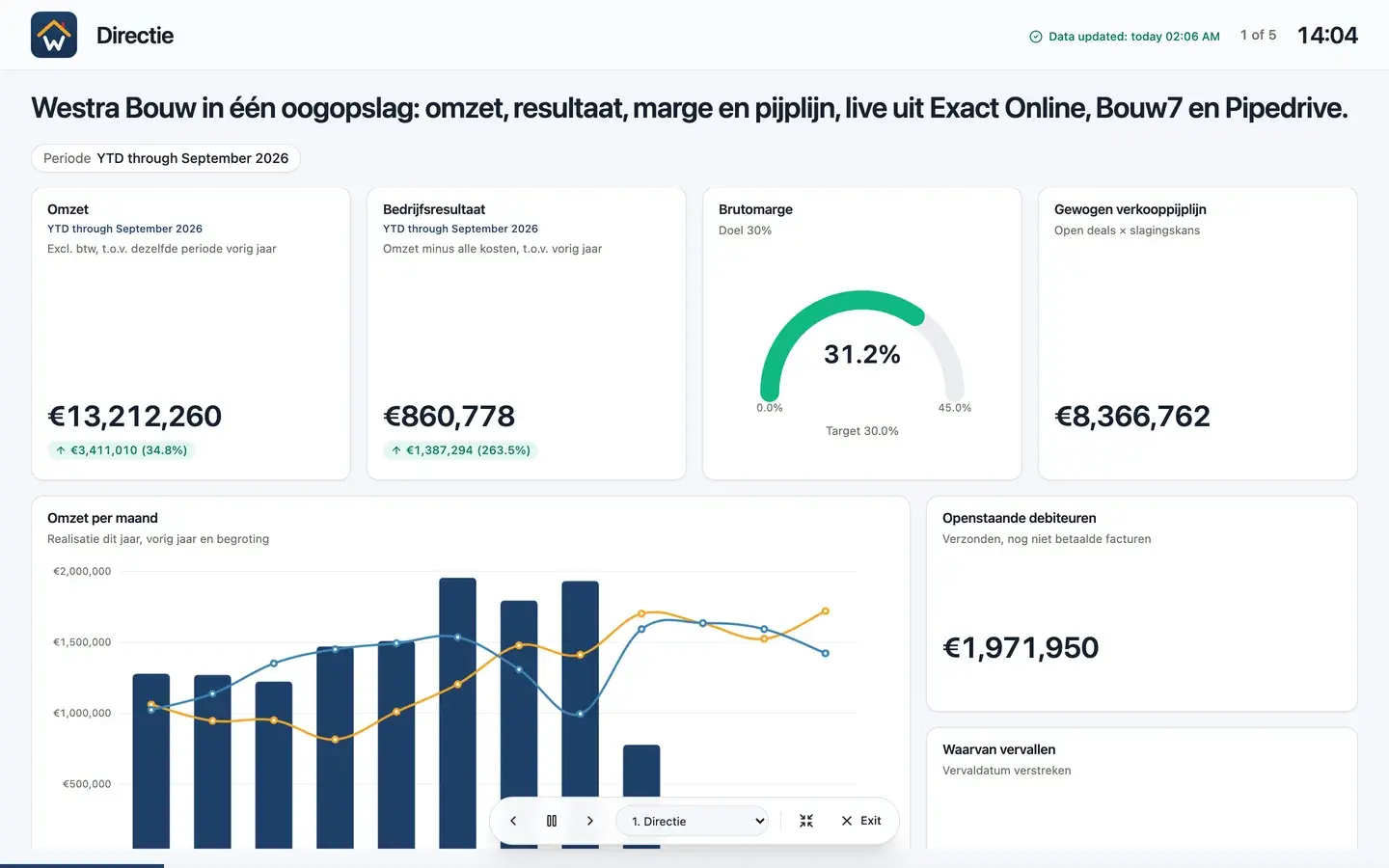
Every dashboard and report has a presentation mode. Put it on a screen in the workshop or canteen, or present it in the monthly management meeting. You do not need a separate slide tool or export.
- Ready-made presets for wall screens, meetings and spotlight
- Auto-advance with its own timing per page, loop forever or stop at the end
- Repeat a page per project, team or filter value, such as one slide per project category
- Control it with a keyboard or presentation clicker; it pauses when someone interacts
- Title bar with clock, progress and data freshness
- Fits every page to the screen without scroll bars
Frequently asked questions
Frequently asked questions about Databox and DigiData
Please call: +31 6 15534337
Is DigiData cheaper than Databox?
It depends on your sources and team. DigiData charges €95 per month for the platform plus €50 to €95 per connector, with no per-viewer price. Databox charges per plan with limits on data sources, users and AI credits; paid plans start at $71 per month billed annually. Work out both with your own number of sources and colleagues.
Can I connect Exact Online to Databox?
Exact Online is not in Databox's standard integration list. You can connect it through a custom API integration, but then you maintain authentication, pagination and calculations yourself. DigiData has its own Exact Online connector, including multiple administrations.
Can I move my Databox dashboards to DigiData?
There is no automatic import. Describe your existing dashboards to the AI agent and it builds a first version on your connected sources. Then compare the results with your current figures and align the definitions.
Can DigiData dashboards rotate on a TV?
Yes. Every dashboard and report has a presentation mode that advances automatically, with its own timing per page. A page can repeat per project, team or filter value, so each project category gets its own slide, for example.
14-day free trial · no setup fee
Switching from Databox?
We connect one source and build your first dashboard on your own data in a 20-minute demo.
